

Build a campaign
This is where you create what volunteers will share: what to know about the issue, and the content itself. You do it for each new push.
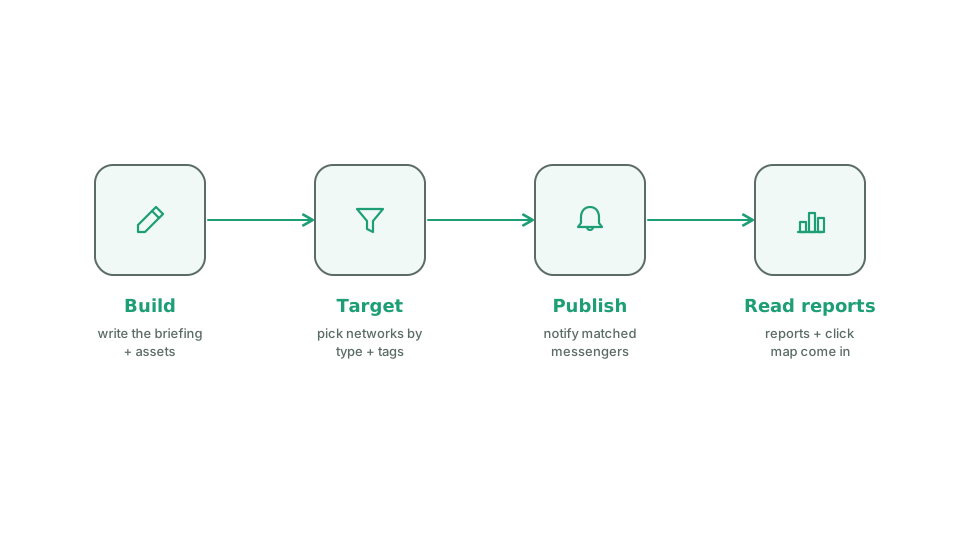
How to think about it
Section titled “How to think about it”A campaign has two parts. The first is a short brief that tells volunteers what to know and why it matters, in plain language they can carry into a conversation. The second is the content, where each piece gets a job: post it to your own group, comment on an existing public post, or post it to your own feed. Match the job to the content. A link to read and pass along is a share. A public post you want voices on is an engage. An image made for someone’s own feed is a create. Write the brief for a volunteer standing in front of a skeptical friend, not for staff.
Build it
Section titled “Build it”- Open Campaigns and start a new one.
- Under Basics, enter a Title and a Description. The description is the first thing messengers read.
- Switch to the assets tab and add content. For each piece:
- What is it? The kind of content.
- Where does it go? Share, Engage, or Create. Options that don’t fit the content type are greyed out: a file can’t be an Engage, a URL can’t be a Create.
- Paste the link or upload the file. Files are capped at 50MB.
- Display title. The card’s title. Leave blank to use the unfurled headline.
- Suggested caption or How to frame this. The note on the card. The field is labeled Suggested caption on images and videos, where messengers can copy it into their post. It is labeled How to frame this on links, where it is advice to the messenger. It is never sent with the share. The box grows as you type.
- Add two to four short Community pulse notes so messengers know what people are saying.
- Set Targeting. See Target the right messengers.
- Select Publish, or Save as draft to finish later. Publishing emails every matched volunteer. See Publish and notify.
Withdraw one piece of content
Section titled “Withdraw one piece of content”Open the asset and select the archive action. The content disappears from every messenger’s screen and cannot be shared again, but its metrics stay on the Reports page and volunteers can still file a late report on it. Use this instead of deleting.