

Roles and what each one sees
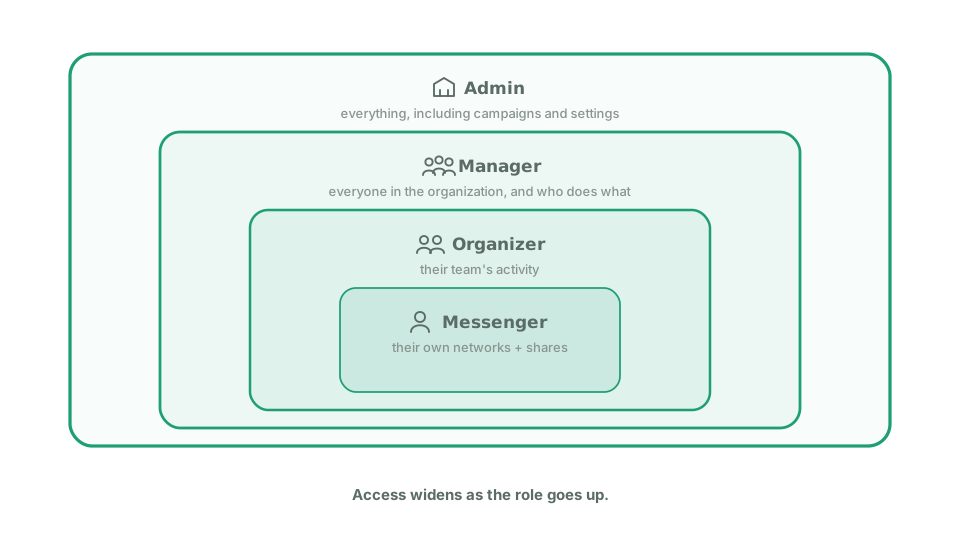
Echo has four roles, and each one sees a different slice of the work. A messenger is a volunteer who maps their networks and shares content, mostly from a phone. An organizer runs a small team of messengers and sees only that team. A manager looks after the organizers: they see everything across the organization and can add, move and remove people, but they do not build campaigns. An admin builds campaigns and reads results across the whole organization, usually on a computer. Access widens as the role goes up, so give each person the narrowest one that fits their job.
Organizer, in more detail
Section titled “Organizer, in more detail”An organizer sees the dashboard, reports and Network Explorer, all narrowed to messengers assigned to them. They can share an invite link, and anyone joining through it lands on their team. They can correct their own team’s networks. They cannot change anyone’s role or remove anyone.
Manager, in more detail
Section titled “Manager, in more detail”A manager sees the same dashboards, reports and network information an admin sees, for the whole organization rather than one team. They can invite people, change someone’s role between messenger and organizer, reassign a messenger to a different organizer, and remove someone from the organization.
There are things a manager deliberately cannot do:
- Build or edit campaigns. Campaigns stay with admins.
- Use Message Lab.
- Change organization settings, including tags.
- Generate a Pulse Summary.
- Promote anyone to admin or manager, or change or remove an admin or another manager. A manager works with organizers and messengers only. This is enforced by Echo, not by convention. The option does not appear, and the action is refused if attempted another way.
- Share an organizer invite link.
If you need someone who can do all of that, they need to be an admin.
View as messenger
Section titled “View as messenger”Any admin, manager, or organizer can switch into the messenger experience to see exactly what a volunteer sees. Look for Switch to messenger view near the top of the screen; select Back to admin to return.
This is not impersonation. You don’t see anyone else’s account. It puts you into the same messenger home, network map, campaign view, and report flow a volunteer gets, but under your own identity. Any network you map or report you file while switched over belongs to you, the same as if you were a messenger.
Your real role is unaffected. The toggle only changes what you see. It never changes what you’re allowed to do, and the admin pages themselves still check your actual role every time, not the toggle. Switching back is instant.
Campaign targeting doesn’t treat staff differently from messengers. If you map networks that match a campaign, you get that campaign’s messenger emails, the same as any volunteer would.